The Standard Performance tab shows Standard Details and a Standard Performance Comparison. This tab is only available if the program is set up to use it.
The Standard Details section lists the aligned standards as well as performance on the standard and the number of items aligned. Select the Show aligned items checkbox to see the aligned items beneath each standard.
Classic User Interface:
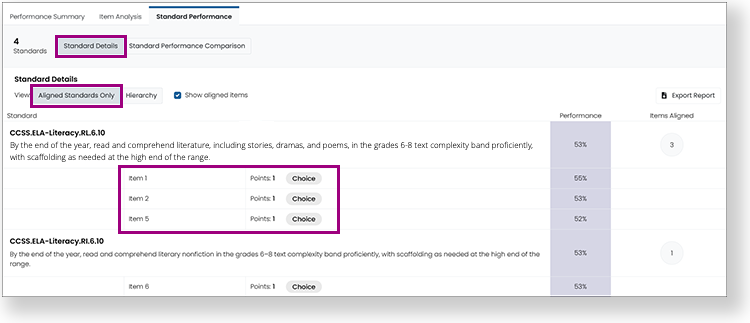
Updated User Interface:
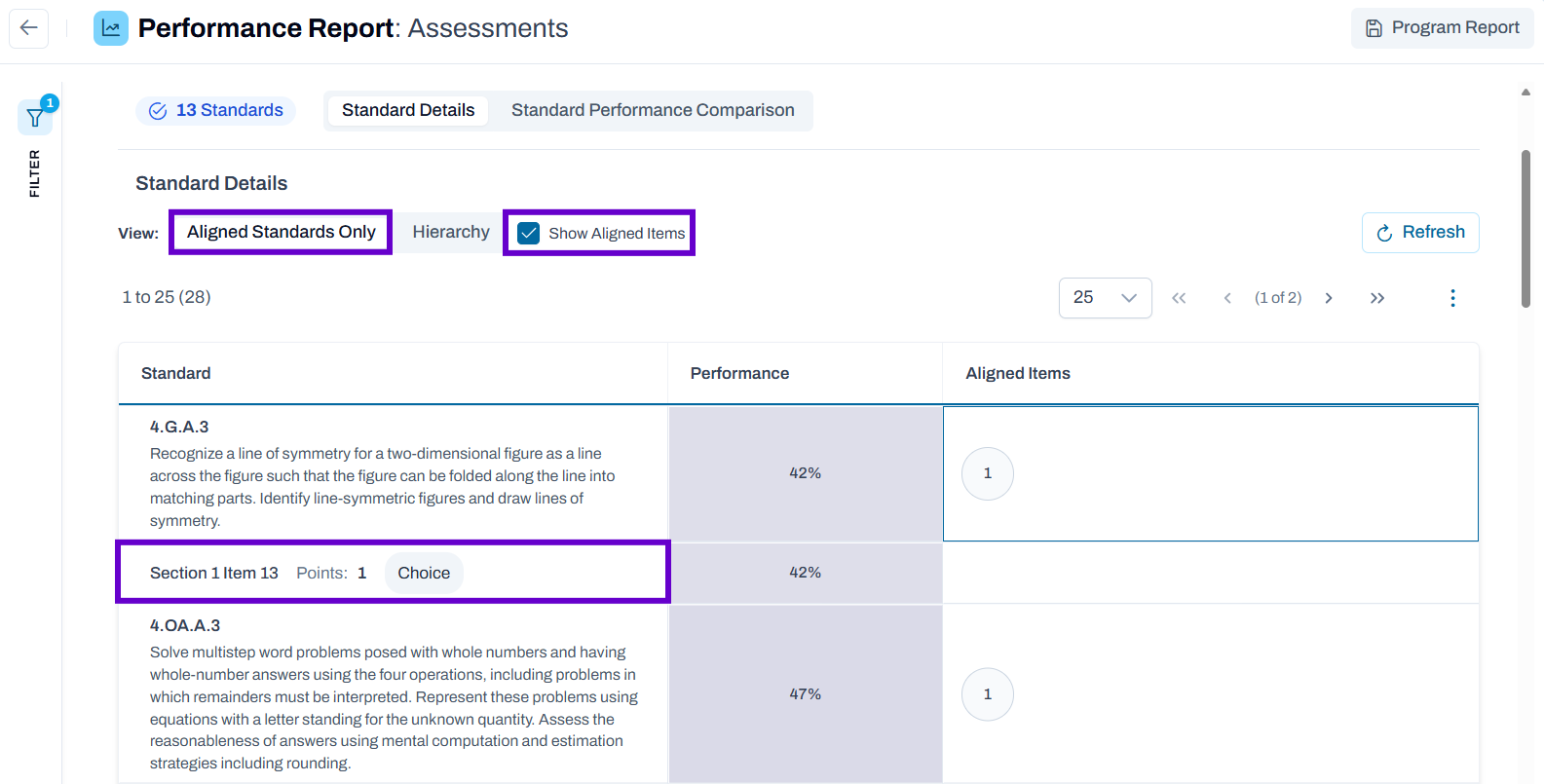
Toggle to the Hierarchy section to view a hierarchical list of the standards and performance on those standards.
Classic User Interface:
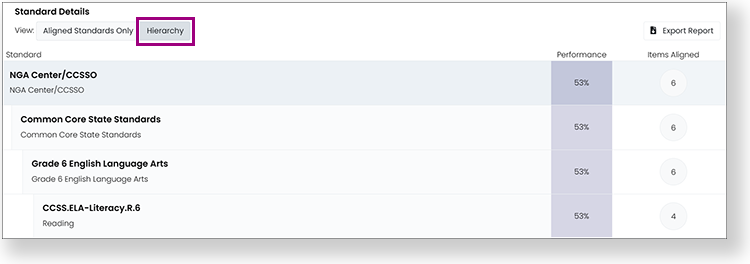
Updated User Interface:
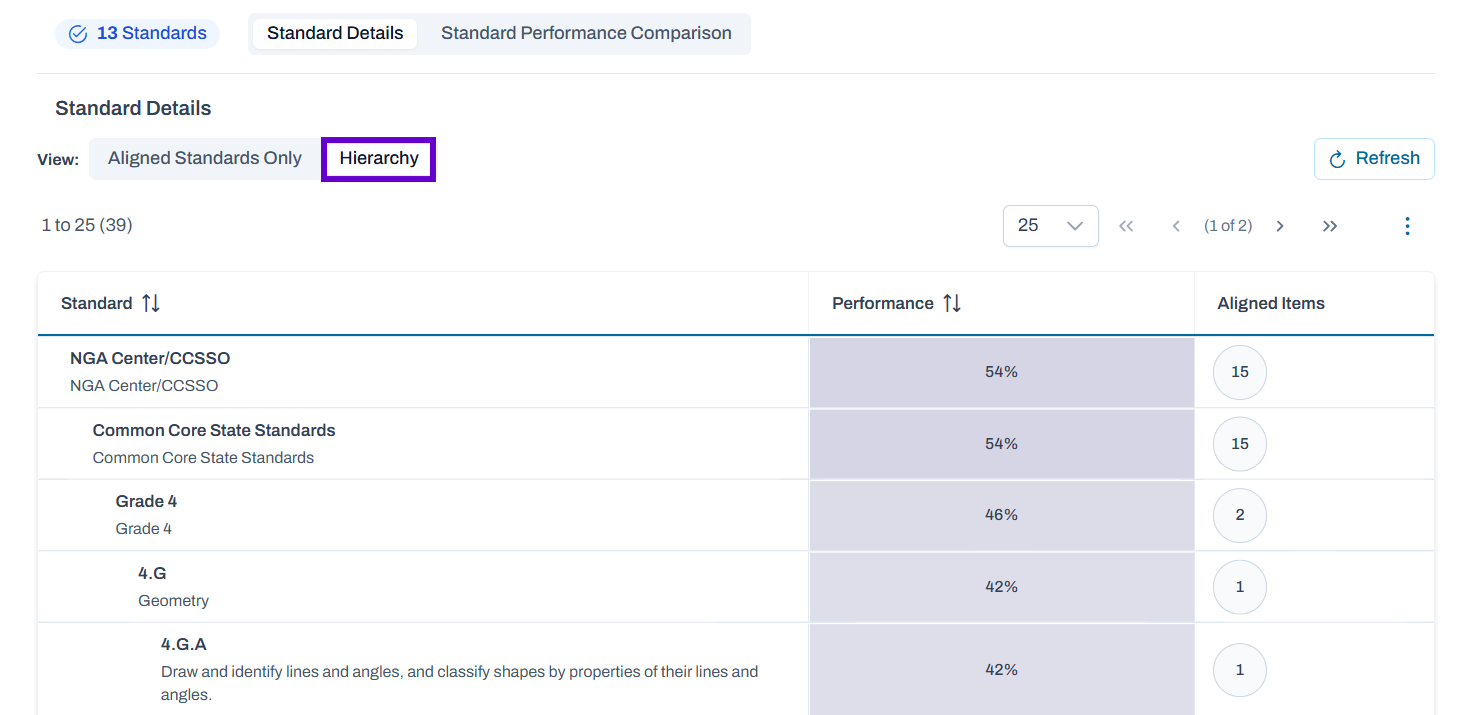
The Standard Performance Comparison section shows performance on each standard in institutions and classes. You can hover over a column header to see the full standard description. The number in the column header indicates the number of items aligned to the standard.
Classic User Interface:
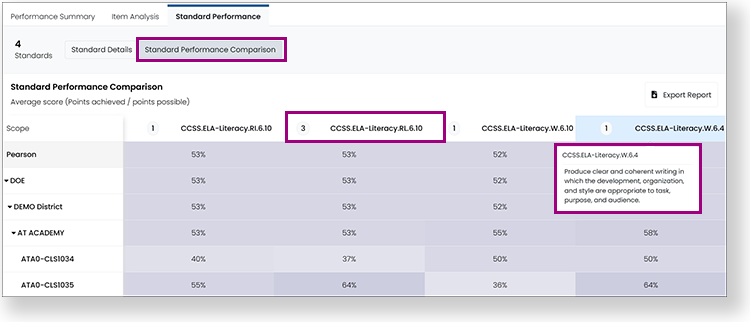
Updated User Interface:
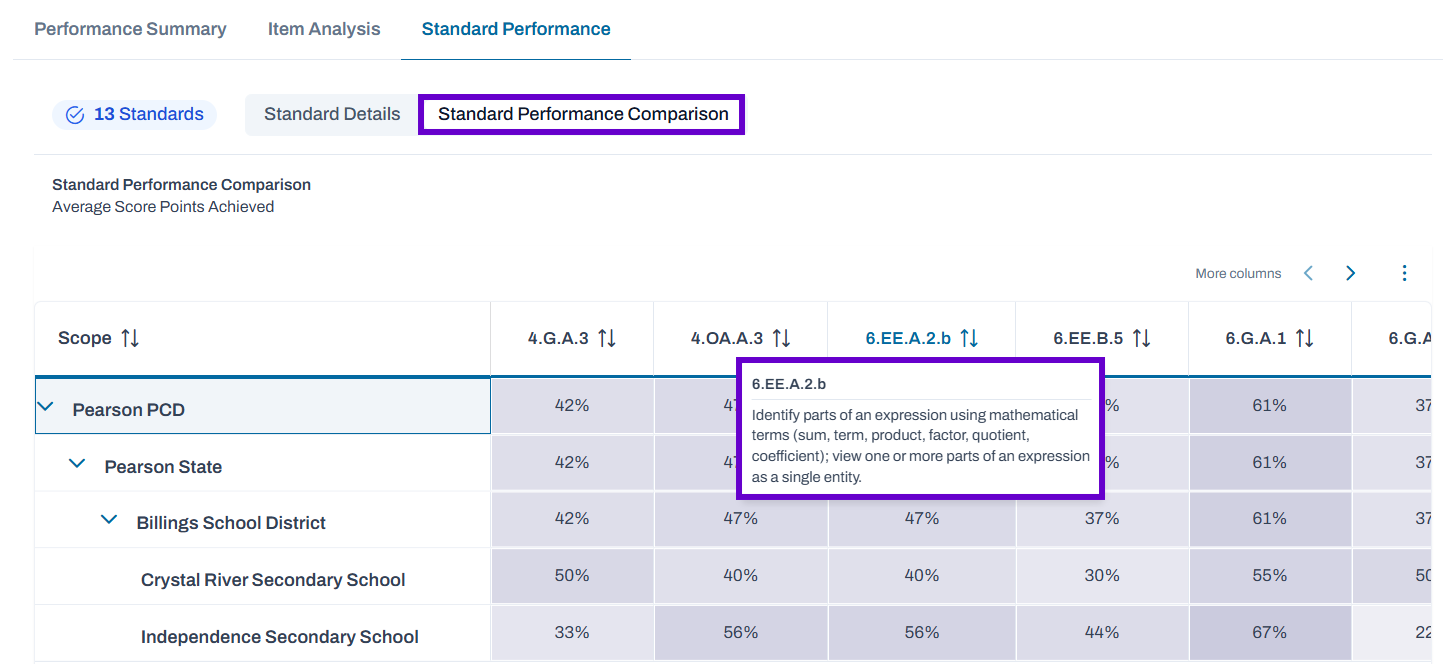
In both sections under the Standard Performance tab, you can select any standard in the table to open a popup that shows details about items aligned to the standard. Select the arrows or item menu to view other items in the report.
Classic User Interface:
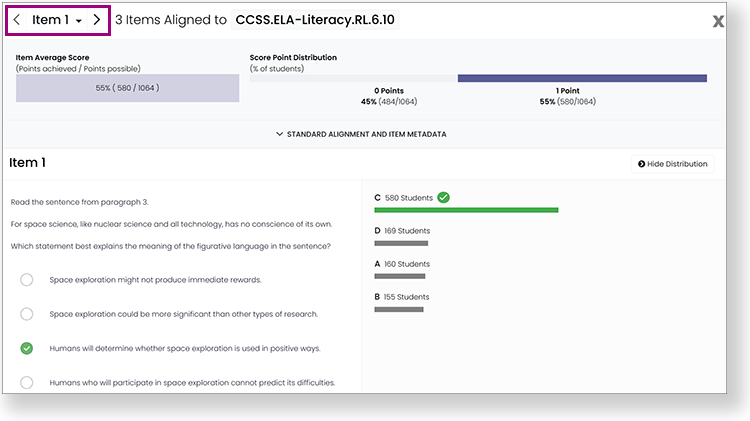
Updated User Interface:
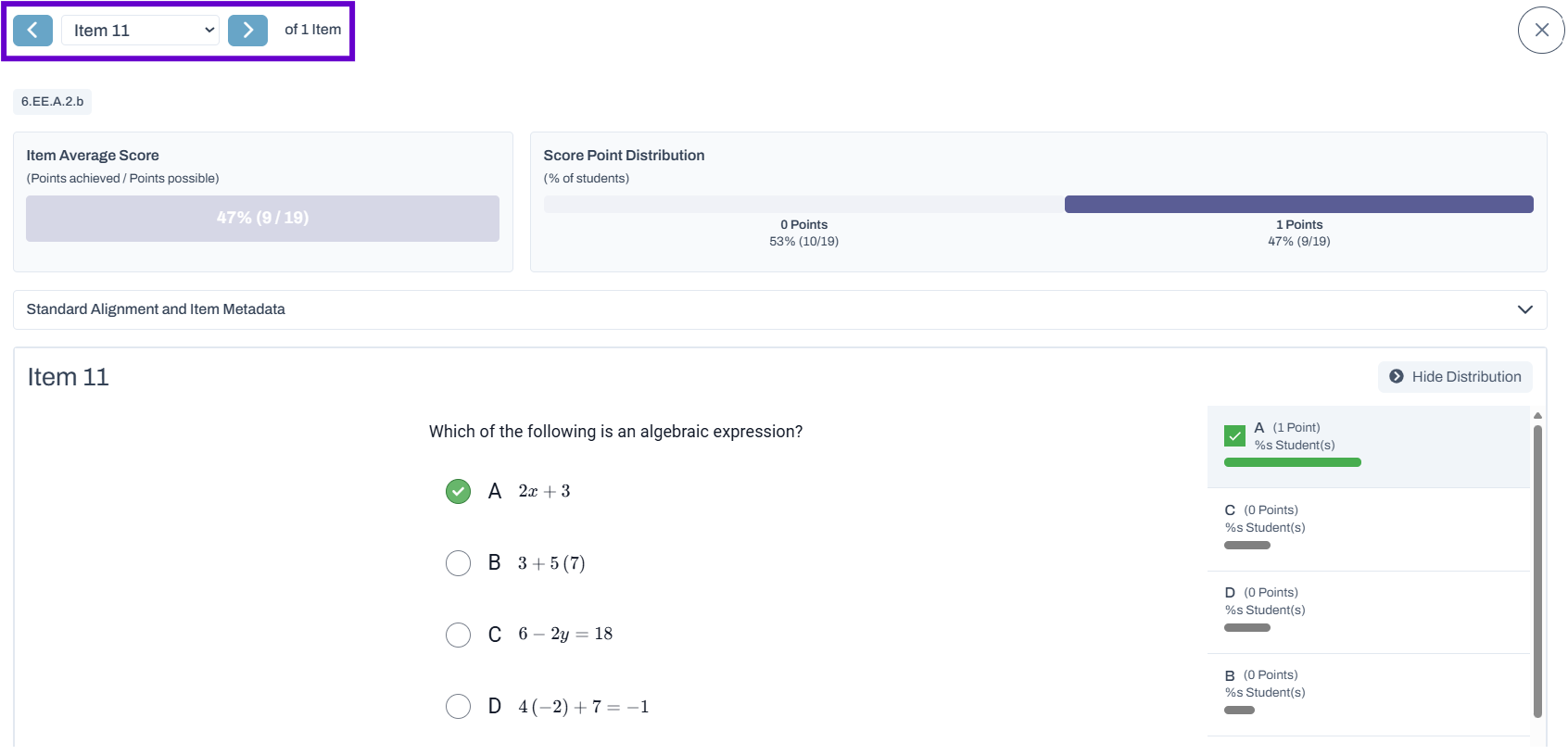
Tiny Link: https://support.assessment.pearson.com/x/mQBeCg